




Customer Service Outsourcing Cost in 2026: Is It Really Cheaper?

Although, as a customer service outsourcing company, we'd want to believe that outsourcing is undoubtedly the best option, this isn't always true.
So, here’s a brief answer to your question: There are no fixed rates. The average customer service outsourcing cost varies depending on your business needs, the type of support team required (shared, dedicated, AI-only, or hybrid), and the team's location.
But before you decide that this article won’t be helpful for you, keep in mind that you can roughly calculate the necessary budget if you know the specific services you are looking for. So, if you want to know how much does it cost to outsource customer service for your company, you need to understand the following:
- Which factors are behind the pricing
- The difference in pricing models that exist
- And when hiring customer support isn't the best strategic decision, and when it can be.
Below, we will answer all these questions based on the updated research we conducted in 2026 on the true cost of outsourced customer service.
FYI: The best way to learn the customer service outsourcing cost for your business is to schedule a quick phone consultation with a customer service outsourcing partner. When clients call us, we listen to their specific business needs and recommend various pricing models that will work best for them.
Factors affecting outsourced customer service cost
Let's start with the exact factors influencing customer service outsourcing pricing.

1. Support type and complexity
The type of services you need has a major impact on the overall outsourcing customer service cost. After all, support can cover a wide range of functions, depending on your business goals.
- Inbound vs. Outbound Support: Do you need agents to manage incoming inquiries (inbound) or to proactively reach out to customers (outbound)? Inbound support is typically more affordable, while outbound sales services are often more expensive.
- Omnichannel Support: Will your team handle interactions across multiple platforms, such as phone, email, chat, and social media? If yes, then keep in mind that while omnichannel support creates a seamless customer experience, it’s usually more costly than simply opting to outsource live chat support services or email support alone.
2. Customer interaction volume & scalability impact
The very first thing you need to establish to know at least approximately how high the customer service outsource cost will be for you is the number of agents. This directly depends on how many trinkets your team usually processes. Higher ticket volume means more agents, because, let’s face it, nobody wants to wait for responses over 2 minutes. That’s just bad customer service. Of course, this then leads to higher support costs. Yet, some providers do offer reduced rates for larger teams, so that might be your way out of blown-out budgets.
Keep in mind that peak seasons or holidays often come with higher costs too. This is because your support team needs to scale up quickly to handle increased demand and then scale back down once things return to normal. The good news is that scalability is one of the top benefits among all the outsourcing customer service pros and cons. Many reputable providers even offer “shared team” options, making it easy to add extra agents when you need them without long-term commitments.
3. Time zones and 24/7 availability
Additionally, the outsourced customer service cost varies based on the types of shifts your business wants to cover. If your customers are mainly concentrated in one region, covering standard office hours will usually be the most affordable setup. However, if you serve international markets across multiple time zones, you’ll likely need staggered shifts or even round-the-clock support.
Naturally, 24/7 coverage requires more agents, night shifts, and sometimes higher rates, which all increase the overall outsourcing cost. In short, the broader your coverage window, the higher the investment needed to ensure customers can always reach you when they need help.
4. Required languages & skills
English-only support is often the most cost-effective choice. But if your business is aiming to expand globally and connect with regional markets, multilingual agents become a valuable asset. The challenge is that every additional language adds to the overall cost of support.
The same goes for the skill set of the agents. If you are looking for agents with just a general experience in customer support and some minimal training, outsourcing will generally cost less. On the other hand, if you need specific experts, expect additional expenses for hiring.
5. Provider’s region & labor rates
As we mentioned at the beginning of this article, the average cost of outsourcing customer service can vary greatly depending on the provider’s location. While today’s global economy has made things more flexible, geography still plays a major role in pricing.
For example, outsourcing to countries with lower labor costs, such as India, the Philippines, or Egypt, can be far more affordable than partnering with providers in higher-cost regions like the United States or the United Kingdom. In some developing countries, outsourcing services can cost as little as $6 to $10, making location a key consideration when weighing your options.
FYI: In some cases, the lower support costs don’t necessarily mean compromised quality.
6. Tools, integrations & SLA requirements
Let’s not forget that tools, integrations, and SLA (Service Level Agreement) requirements can significantly influence the total cost of outsourcing customer service as well.
First, the kind of tools you expect the provider to use — CRM systems, omnichannel platforms (chat, email, phone, social media), ticketing tools, knowledge bases, real-time dashboards, and possible AI technologies — all come with licensing, customization, maintenance, and sometimes integration fees. If your systems have to connect (for example, your in-house tools + outsourced agents’ tools), there is work involved in setting up and maintaining those integrations, which adds to the cost.
Second, SLAs that demand fast response times, 24/7 availability, high first-contact resolution, or strict customer satisfaction benchmarks drive up the need for more agents, better training, monitoring tools, and sometimes redundant or fallback systems. All of this requires investment. So when you build your outsourcing budget, be sure to account not just for the people doing the work, but for the supporting technology, the effort to integrate it into your workflows, and the service commitments you’re asking the provider to meet.
7. Training & quality assurance
Finally, the level of training and quality control your provider offers can affect both costs and outcomes. Providers who invest more in these areas may charge higher rates, but the payoff is improved customer satisfaction, fewer repeat issues, and potentially lower long-term costs.
{{cta}}
Regional rates’ breakdowns for outsourcing customer service in 2026
We have previously mentioned that the cost to outsource customer service can largely vary depending on the location from which the agents are sourced. After doing some research, we have created a customer support pricing comparison table with general rates for 2026:
Why such a big difference, you might ask? Well, pricing is influenced by quite a few factors, and below we will briefly break down what lies behind these costs.
North America
Key markets: North America sits at the top end of the cost spectrum. The region built its reputation on high-end, specialist talent (particularly in the US and Canada), and pricing reflects that. Mexico is the more affordable option within the continent, with rates starting around $13/hour. For businesses outside North America, though, distance and time-zone gaps usually make this region impractical.
Hourly rates: $13–$60/hour, depending on country and level of specialization.
Best fit for: US and Canada-based companies that need onshore or nearshore specialists and are willing to pay a premium for them.
Latin America
Key markets: Brazil, Argentina, Colombia, and Costa Rica lead the region's outsourcing market. Colombia is especially well-regarded for bilingual English-Spanish teams suited to creative or collaborative work. The region's defining advantage is proximity to the US, which means overlapping time zones and minimal cultural friction with North American clients. Combined with growing technical expertise, that's made LatAm one of the strongest nearshore alternatives on the market.
Hourly rates: $10–$20/hour.
Best fit for: US-based companies and tech startups that want nearshore support with time-zone alignment, without paying domestic rates.
Eastern Europe
Key markets: Ukraine, Poland, Romania, Hungary, and Bulgaria are the most established destinations for both IT and customer support outsourcing in the region. Agents from the region have high levels of English proficiency and cause minimal cultural friction with Western clients. Geography also helps. As time zones overlap with those of Western Europe and parts of Asia, same-day responses are practical for clients across both continents. Most providers also operate under GDPR-aligned data protection standards, which matters more in regulated industries.
Hourly rates: $15–$35/hour. For comparison, Western European providers typically run $28–$50/hour for similar work.
Best fit for: Businesses that want highly trained teams, strong communication skills, and GDPR-aligned data handling, with overlap on European business hours, without paying Western European rates.
Asia-Pacific
Key markets: Asia-Pacific has been the dominant offshore outsourcing region for decades, led by India, the Philippines, Vietnam, Malaysia, and China. India remains a global tech powerhouse, but the Philippines has taken the lead in customer service and BPO, thanks to high English proficiency and a culturally Western-aligned workforce. Vietnam and Malaysia are also becoming reliable alternatives, and China offers large-scale support capabilities that are hard to match anywhere else.
Hourly rates: $9.50–$15/hour, the lowest range on this list.
Best fit for: Companies prioritizing cost-efficiency at scale, especially those handling high-volume, English-language support that doesn't require deep cultural knowledge of a Western market.
Africa
Key markets: Africa is the newest entrant on this list, but the growth has been rather steady for a few years already. South Africa, Kenya, Nigeria, Egypt, and Morocco are leading the market, supported by a multilingual workforce fluent in English, French, and Arabic. South Africa in particular stands out for Western-aligned communication, project management strength, and time-zone overlap with both Europe and the US. Kenya and Nigeria have built reputations around mobile innovation and fintech support. Thanks to the continued investment from Google, Amazon, Meta, and Microsoft in regional AI and infrastructure, the region is accelerating its credibility as a serious outsourcing destination.
Hourly rates: $7–$15/hour.
Best fit for: Cost-conscious businesses that need multilingual coverage (especially French or Arabic) and want time-zone overlap with both Europe and the US.
Types of customer service outsourcing pricing models
We have largely established what influences the customer service outsourcing pricing. Thus, it’s time to look into the math behind those costs. As there are various models available, businesses need to choose a vendor with a fitting selection of plans. Let’s discuss the question more closely, shall we?
1. Billing per ticket
According to this model, you, as a client, are only paying for a ticket fully resolved by the vendor’s agents. This is basically a consumption-based model, and below you can find the advantages and disadvantages of such a formation of outsourced call center pricing.
Advantages:
- Simple and transparent pricing model
- You only pay for the service you actually get
- Suitable for companies with unpredictable support volume
Disadvantages:
- Usually requires a commitment in the form of a minimum monthly ticket volume
- It may be expensive for companies with a high volume of inquiries
2. Billing per hour model of outsourced customer service cost
In this consumption-based pricing model, you pay for the actual hours your outsourced agents work, regardless of how many tickets or calls they handle during that time.
Advantages:
- Highly flexible, making it a good fit for companies with fluctuating support volumes or seasonal spikes.
- Can be cost-effective if your support demand is predictable and consistent, since you’re only paying for the hours worked.
- Easy to scale up or down depending on business needs.
Disadvantages:
- Costs can be difficult to predict, especially during peak seasons or if you require out-of-hours support.
- Since payment is based on time rather than results, there is less incentive for the outsourcing provider to optimize efficiency or resolve issues quickly.
- May not align well with companies focused on outcome-based performance metrics, such as first-contact resolution or customer satisfaction.
*Note: This model works best for straightforward, time-intensive support tasks (like live chat or call center coverage) rather than highly transactional or ticket-driven support, where performance-based billing might make more sense.
3. Billing per minute
This model is mostly used for call center outsourcing services. Here, you essentially pay for a talk time or work time, calculated per minute spent on the case.
Advantages:
- You are only paying for the time agents actually work
- Works well for businesses that deal with short, straightforward interactions or a high number of quick calls.
Disadvantages:
- Can be unpredictable if call volumes or call lengths fluctuate, making budgeting more difficult.
- Agents may feel pressured to shorten calls, which can hurt service quality or customer satisfaction.
- Doesn’t account for after-call work (such as logging case notes or follow-ups), which could lead to additional call center hidden costs depending on the provider.
- Not ideal for companies that handle complex cases with scripts requiring longer conversations or multistep resolutions.
4. Billing per agent
This is one of the most common answering service pricing models in customer support outsourcing. Here, you pay a fixed monthly or hourly rate for each dedicated agent assigned to your business. The actual rate may vary depending on factors like language requirements, technical expertise, or the level of specialization needed.
Advantages:
- Makes budgeting straightforward, since costs are fixed per agent.
- If agents work as a dedicated team, they can develop a deeper understanding of your business, products, and customers over time.
- Easy to scale up or down by simply adding or removing support reps based on demand.
- Encourages stronger relationships and alignment between agents and your in-house team.
Disadvantages:
- Can be more expensive than consumption-based models, since you’re covering overhead costs (training, benefits, facilities, etc.) built into the agent rate.
- Productivity can vary, and without strong monitoring and KPIs, you may end up paying for underperforming agents.
- Less flexible if your support demand fluctuates significantly — you’re paying for the agent whether they’re fully “booked” or not.
5. Monthly flat fee or fixed price (FP) model
In this model, the outsource call center pricing is set based on a predetermined workload volume (a specific number of hours or interactions per month).
Advantages:
- Simplifies budgeting since costs stay predictable even if there are minor fluctuations in support volume.
- Easy to manage for businesses with relatively stable and consistent workloads.
- Encourages providers to optimize efficiency, since they handle a set workload for the same price.
Disadvantages:
- Not flexible for businesses with highly variable support demand, as if your volume spikes, you may need to pay overage fees.
- You could end up overpaying if actual service usage consistently falls below the agreed threshold.
*Note: This model would be better suited for small to mid-sized businesses with predictable support needs or for projects with clearly defined workloads.
6. Shared vs dedicated support team
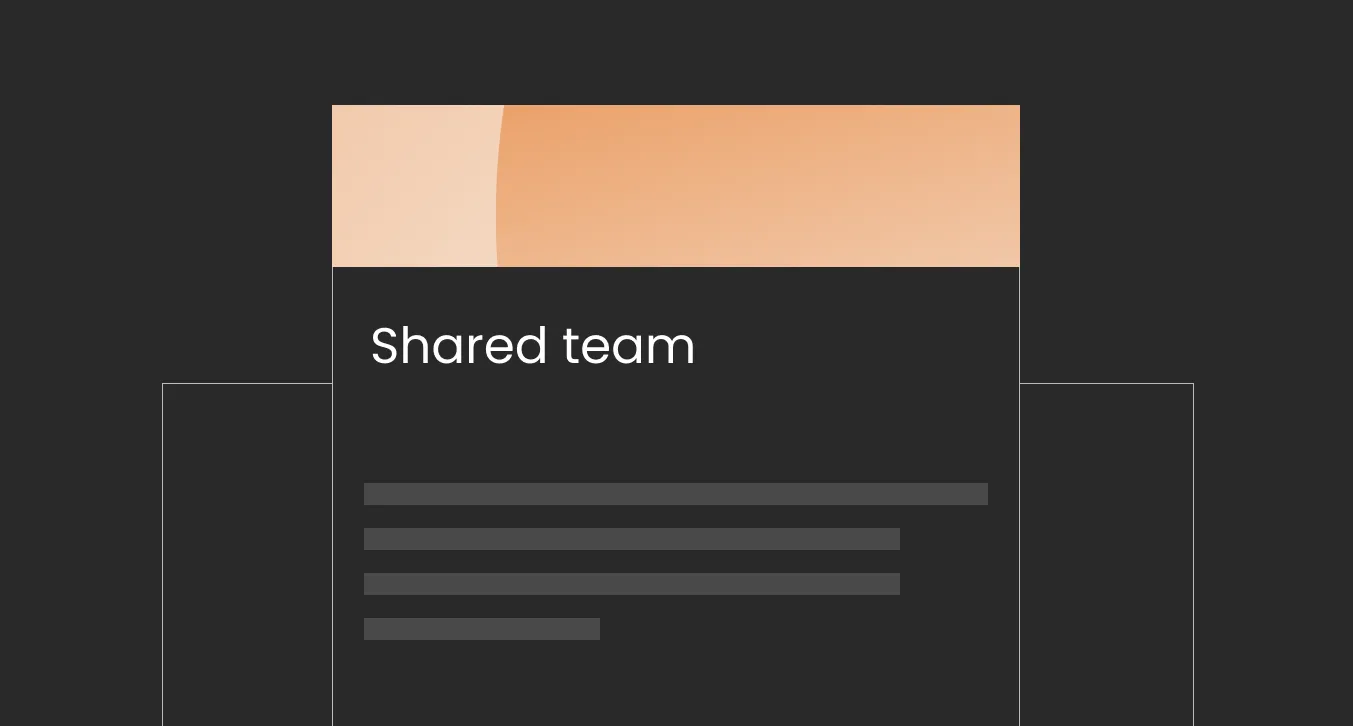
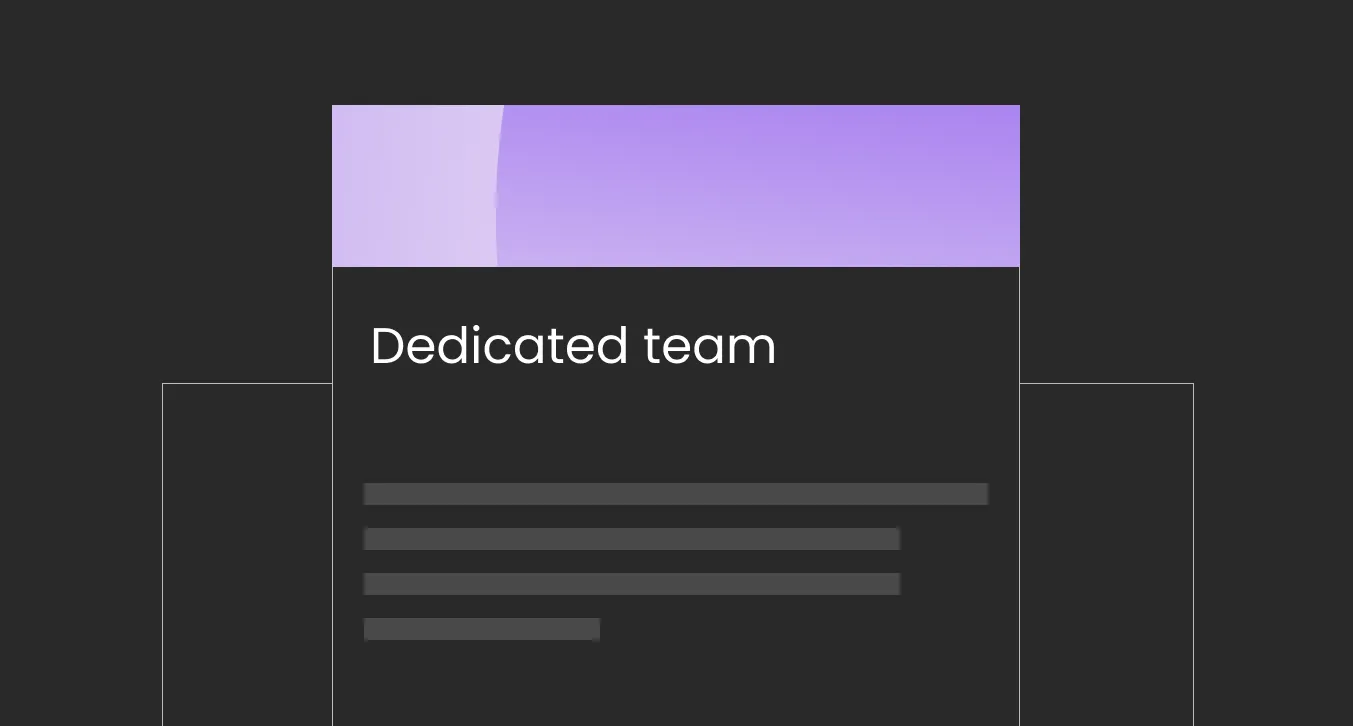
Finally, we have reached the team-based pricing models. In this case, the outsource customer service cost varies depending on the type of collaboration you choose to establish with your support agents. To provide a clear breakdown of these two options for you, we have created a comparison table:
{{cta}}
What to expect from the outsource customer service cost for AI-only & hybrid models
Since the topic of implementing AI in customer service entered the chat, the major question was how it would help with cost savings. Now, despite every second business offering some sort of autonomous chatbot or AI support agent, there’s still no largely standardized pricing model for this type of service. More often than not, AI solutions come with a certain integration fee, which is different from model to model and provider to provider. Aside from the integration fee, the pricing of running AI customer service may vary depending on one of the following pricing models.
AI customer service pricing models
Source: The information on pricing was collected from different openly available sources, including Twig, Fin.AI, and Intercom.
Some providers also offer subscription-based models, where the monthly pricing for the AI deployment varies depending on the business size and, consequently, the volume of processed tickets:
- For small businesses → $30–$150/month.
- For mid-market → $500–$5,000/mo for off-the-shelf solutions.
- For enterprises → $3,000–$50,000+/month, with annual contracts running at $150K+ for large deployments.
Per-resolution AI billing model
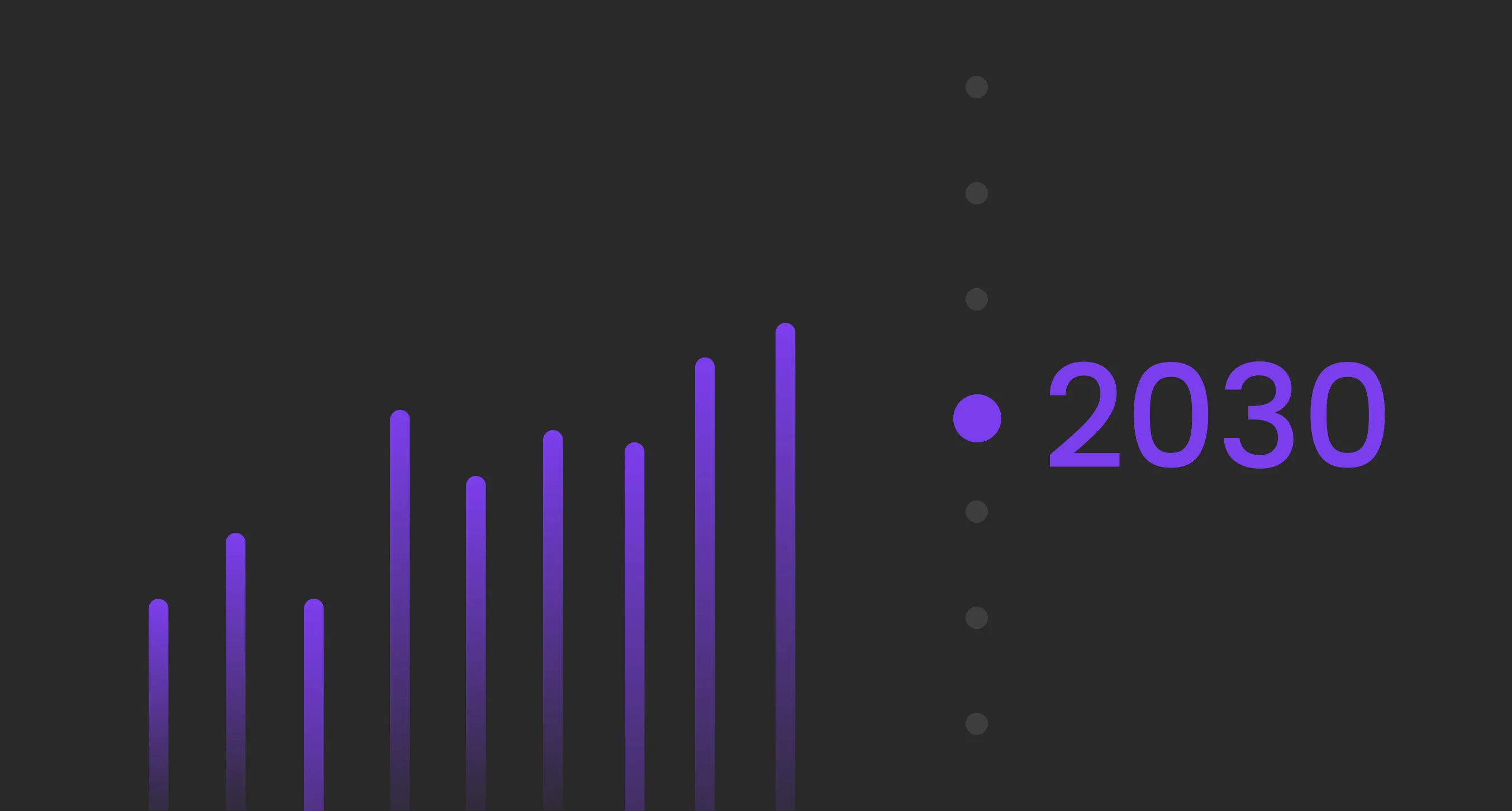
As of right now, the most popular seems to be the per-resolution model, as it offers the cheapest rates, making it especially appealing for small-to-medium-sized businesses. And though the pricings here currently can range anywhere from $0.99/resolution to $2.00, our recent research has found that Gartner predicts this price will exceed $3/resolution by 2030.
Not to mention that there’s a major downside to this model: different vendors define "resolution" differently. Zendesk, for example, counts a resolution after 72 hours of customer silence if the AI's response is deemed "relevant." This means a customer who simply gives up can still trigger a charge to your AI account. This makes the model much less straightforward, with the true effective cost per genuinely resolved ticket already running $3.00–$6.00 once failed escalations are factored in. Needless to say, this price is already comparable to that of some human agents.
Human+AI Hybrid model: Can you save while working with both?
The short answer is yes, but it does not come from the place most businesses expect. The usual assumption is that AI replaces a chunk of agents, so payroll drops accordingly. However, what happens in reality is that the ticket queue gets split into two streams, and each stream gets priced following separate models, depending on the vendor. As such, businesses save on simple tickets like password resets, order tracking, and refund status, which cost very little when AI handles them.
Thus, in a hybrid contract, you're essentially paying twice:
- Once for the human team → gets billed the way any traditional team would (usually following a dedicated or shared model)
- Once for the AI → usually priced per-resolution, per-conversation, or as a flat subscription.
Some vendors may lump it all into one invoice. Others itemize, which is what you want if you plan to audit what's actually being automated.
What to expect for human+AI cost savings?
Based on our own experience with AI deployments, we can say that it’s possible for businesses to optimize support costs by up to 60%.
Example: On one of our clients’ SaaS projects, we reduced costs by 54% while the client maintained both our AI subscriptions and a team of 8 agents.
Of course, the cost savings will vary on a case-by-case basis, and some factors are worth considering before you commit to a hybrid model.
- Volume matters more than headcount.
The hybrid setup works in your favor only once you're handling around 1,500–2,000 monthly tickets. Below that threshold, integration fees and per-resolution costs tend to outweigh any savings on agent hours. - The percentage of automated tickets grows over time.
For most teams, we recommend starting at 30–40% AI handling and ramping toward 60–70% over 6-9 months as the AI learns the product and the way your customers actually phrase things. Because of these, you might not achieve your expected budget savings in the first month. - Routine tickets aren't always easiest to automate.
Inquiries that look simple but require accurate product knowledge (warranty conditions, returns with restocking fees, subscription pauses) often need a full training cycle before AI handles them well. So we would advise budgeting extra setup time in months two and three.
Outsource customer service cost of an in-house customer service team vs outsourced
When businesses start thinking about outsourcing, the natural question they ask is whether having an in-house team could be a more cost-effective customer support solution. To figure this out, let’s quickly compare the in-house vs outsourced customer service costs.
When we talk about getting in-house customer service, the costs that should automatically be included in the budget are sourcing the right staff, their training and onboarding, work equipment, and team management. It’s also important to know how many agents you need to hire, as this will not only affect the salary rate but also increase the budget for other aspects. Additionally, you will need to find an internal quality control (QC) expert to monitor customer service quality and the fulfillment of KPIs associated with customer satisfaction metrics.
And let’s not forget that working with an internal customer service team involves other, less obvious costs. So, you will also need to consider the following things when planning your budget:
- Ongoing trainings
Continuous training for the whole team is a must, since you want to cultivate certain customer service qualities in your team. Plus, the field constantly develops, especially in today’s fast, AI-driven market. Professional training programs usually come at a high price.
- Infrastructure
Think things like office equipment, software solutions, customer data management tools, AI bots, subscriptions to customer support tools and CRM platforms, and benefit systems for new employees. You need all of this to build a sustainable, results-driven team of customer service agents.
- Administrative costs
Finally, running an in-house customer support team often comes with hidden administrative expenses that can add up over time. These may include costs for ongoing quality assurance and performance management, salaries for team leads or supervisors, as well as HR and payroll services to manage the team.
The costs associated with an outsourced team
The main cost advantage of outsourcing is that you avoid the hidden expenses of running an in-house team. For instance, look at the average salary, based on Indeed’s information for 2026 for the USA:
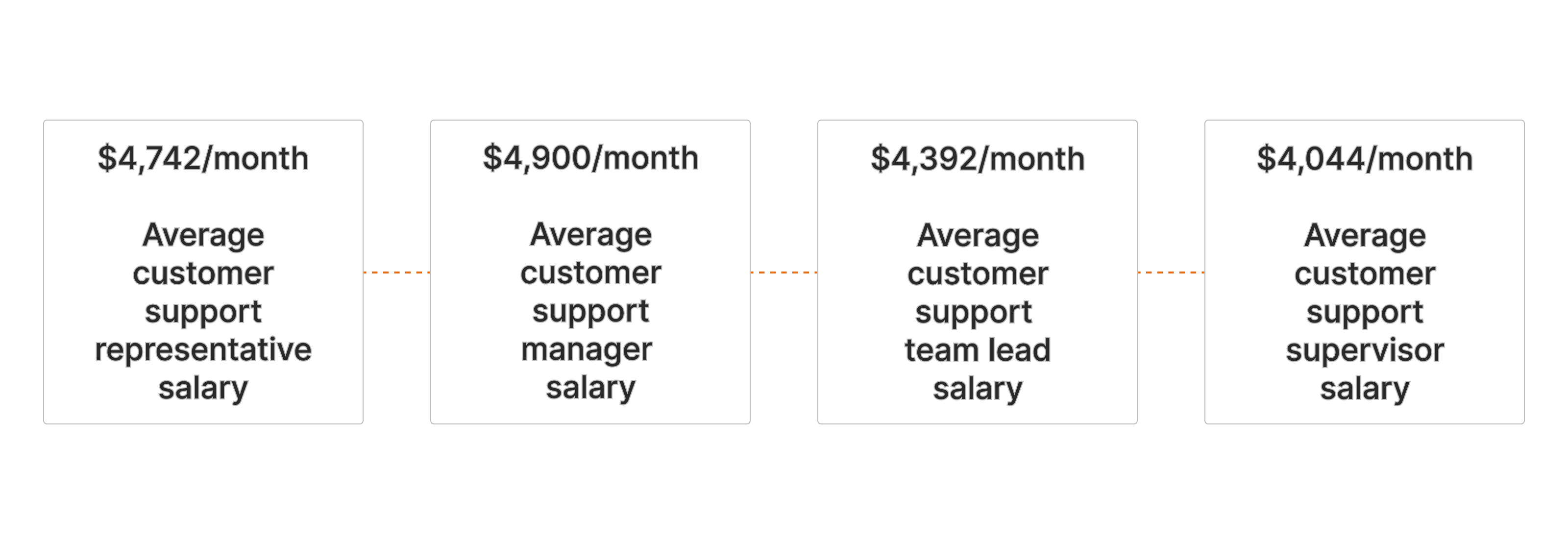
Now, aside from that, you will also need to budget for sourcing all those specialists and their training.
Most outsourcing providers bundle essentials like recruitment, onboarding, training, management, and quality control into their service fees, making budgeting simpler and more predictable. At EverHelp, for example, clients can choose between shared, dedicated, or talent-only team formats, with each plan covering everything from sourcing, integration, training, and scaling to multilingual support and omnichannel solutions.
Scalability is another major benefit. Unlike in-house teams, where adding agents during peak seasons requires extra time and money, outsourcing partners can quickly scale teams up or down thanks to their existing talent pool. This flexibility ensures you only pay for the support you truly need.
Outsourcing also provides access to multilingual agents, advanced tools, and established quality control systems, all of which would be costly to build internally. As a result, companies can maintain high service standards while keeping costs under control and focusing on growth.
And just so you don’t get lost in all of the information, here’s a summary of the most possible costs associated with each type of customer service and their comparison.
In-house vs outsourced team comparison
Thus, outsourcing tends to be the more cost-effective option. It’s particularly valuable if you:
- Want predictable monthly budgets.
- Experience seasonal peaks that are hard to manage internally.
- Need to scale quickly to match rapid growth.
- Require multilingual support for diverse markets.
- Struggle with hiring and retaining qualified staff.
Customer service outsourcing companies also give you the flexibility to scale up or down quickly in response to changes in workload or customer demand — something that can be much harder to achieve with an in-house team.
Before making a decision, it’s a good idea to review both the pros and cons of customer service outsourcing to ensure it’s the right fit for your business.
Example: Here’s just a quick comparison of possible (but approximate) budgets associated with in-house and outsourced agent teams of different sizes (based on the information from Velvetjobs and Salary.com):
So, how to calculate the precise customer service outsourcing cost for your business
At the end of the day, there’s no one-size-fits-all answer. Nevertheless, you can get a realistic estimate by gathering the right inputs. Start with the type of support you need (inbound, outbound, omnichannel, etc.) and the volume of interactions your team handles. Factor in any seasonal peaks, required languages, and agents’ skill levels, as these will directly impact the size and expertise of your team. Don’t forget to account for your preferred pricing model (per ticket, per hour, per agent, or flat fee), as well as any tools, integrations, and SLA commitments that matter to your business.
Once you have these details, you’ll have a clear foundation for comparing providers and finding an outsourcing solution that balances cost with quality — and aligns with your growth goals.
At EverHelp, our customer service outsourcing experts are dedicated to understanding your business requirements. We'll pay close attention to your specific requirements, needs, the volume and complexity of your support interactions, and your preferred level of service. Book a call with our team and let’s see which pricing model will best suit your business!
Frequently Asked Questions About Customer Service Outsourcing Costs
Outsourced customer service costs in 2026 typically range between $8 and $35 per hour, depending on the provider's location, language options, and service complexity. Nearshore regions such as Eastern Europe and Latin America often provide the best balance of price and quality. To better understand what's driving pricing and service models this year, check out our customer support trends report for 2026.
Businesses save on recruitment, salaries, equipment, and management overhead. Outsourcing converts fixed costs into variable ones and enables faster scaling without expanding internal HR or IT resources. Many firms report 30–40 percent total savings after transition.
The final price depends on several factors:
- Location and region (labor costs vary globally)
- Support coverage (24/7 vs business hours)
- Languages offered
- Channel mix (chat, email, voice, social)
- Type of team (shared or dedicated)
Additional factors include technology setup, training, and quality monitoring.
The most common pricing structures are:
- Hourly rate – flexible for variable workloads.
- Per-agent rate – fixed cost for dedicated agents.
- Per-ticket rate – best for predictable volumes.
Some providers use hybrid pricing that mixes these models for greater flexibility.
ROI is measured by comparing total outsourcing expenses with the value gained from efficiency, speed, and satisfaction improvements. Companies see positive ROI when reduced overhead and higher CSAT outweigh service costs.


Help someone else stay in the know. Hit that share button!




.webp)
.webp)

.png)
.webp)

%20(1)%20(1).png)

%20(1).webp)
.png)

.webp)
.webp)






_%20Strategies%2C%20Tools%20%26%20A%20Client%20Success%20Story%20(3).webp)
.webp)
.webp)
.webp)